
Managing offline operations allows warehouse staff to continue working during network interruptions or in areas with poor connectivity. Openbravo SSMS provides limited offline functionality while maintaining centralized stock control to ensure data accuracy and prevent conflicts.
The stock serves as the central data source for all warehouse operations. Since stock information must be shared accurately across all users and applications, any actions that query or update stock levels require an active network connection.
Offline support is designed for temporary situations, such as scanning items in areas with limited connectivity or continuing work during brief network outages. Extended offline operations can prevent proper stock synchronization and may cause data conflicts.
Important: Customers with extensive master data (products, bins) or those requiring attribute support cannot use offline functionality and must maintain online connections for most operations.
Task operations offline
Most task-related actions require online connectivity due to stock management requirements:
-
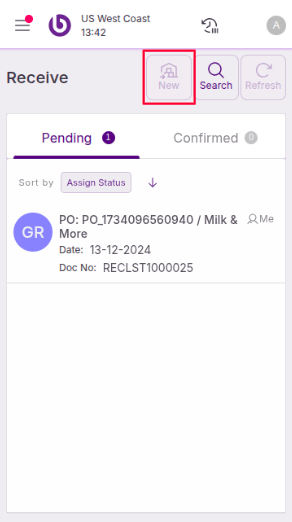
Create tasks: Not supported offline. The system must verify stock availability and reserve items to prevent conflicts with other users.
-
Assign tasks: Not supported offline. Task assignments require real-time notifications to inform other users about operator assignments.
-
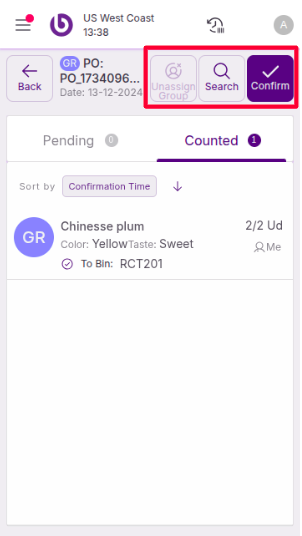
Confirm tasks: Supported offline. Once a task is created and assigned with stock properly reserved, confirmations can be processed when connectivity returns.
Document operations offline
|
Supports Offline |
Action |
|---|---|
|
Yes |
Create an empty document |
|
Yes |
Add a line by scanning |
|
Yes |
Change the used bin |
|
Yes |
Lines - Change Quantity |
|
Yes |
Lines - Delete |
|
Yes |
Open a previously loaded document |
|
No |
Create a document using the ‘Parameters’ window |
|
No |
Add a line manually by using the ‘Product’ selector |
|
No |
Lines - Stock information |
|
No |
Lines - Image |
|
No |
Confirm document |
|
No |
Open a document that has not been previously loaded |
Functional flow support
Different warehouse processes have varying levels of offline support:
Fully online processes
-
Login operations
-
Loading or refreshing task lists
-
Task assignments
-
Product attributes management
Confirmation offline support processes
These processes allow offline work and confirmation but require online connectivity for creation:
-
Reception tasks
-
Put-away tasks
-
Picking tasks
-
Issue tasks
-
Packaging tasks
Document-based offline processes
These processes support offline document creation and editing but require online connectivity for confirmation:
-
Count documents
-
Distribution orders on the fly
-
Requisitions
Best practices for offline work
Plan offline sessions carefully to minimize disruption. Focus on scanning and data collection activities that don't require real-time stock updates.
Ensure all required documents are loaded before entering offline mode. You cannot access documents that weren't previously cached locally.
Return to online mode promptly to confirm completed work. Extended offline periods can cause synchronization issues and prevent other users from accessing reserved stock.
Monitor your device's storage capacity during offline work, especially when working with multiple documents containing many lines.