
The ‘Request for Transport’ feature allows manual transport requests from the SSMS front-end. This initiates an API request to an external system, which returns a printable document. The document can then be printed from the SSMS front-end device.
Request a transport label
Access
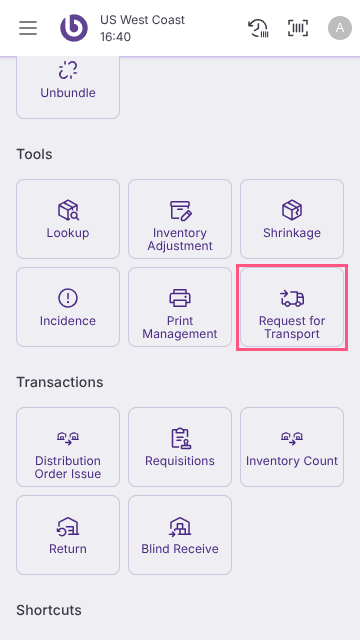
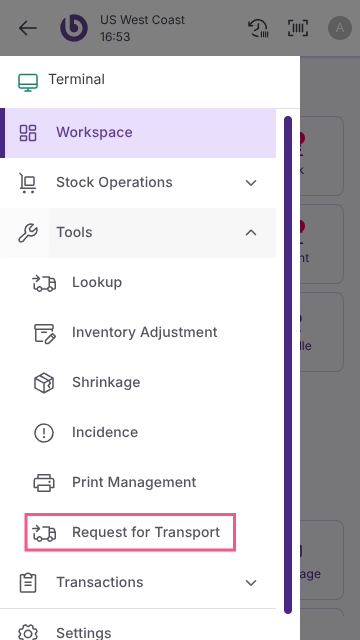
You can access the print management dialog from two places:
-
The main window
-
The drawer menu
Functionality
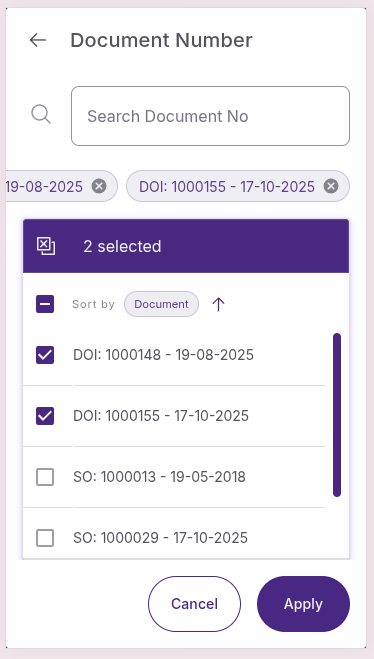
When a sales order or a distribution order issue is completed or confirmed (for DO), and it has some quantity already picked, it will be shown in the ‘Request For Transport’ document selector dialog.
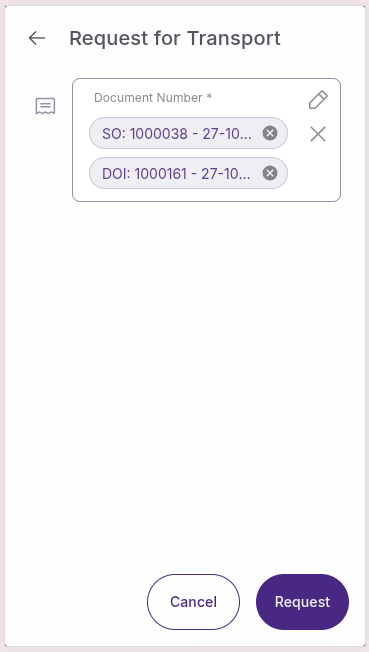
When you click the ‘Request’ button, an event is triggered that sends a request with the relevant information to the transport system and updates the requested quantity in the lines, making it equal to the picked quantity.
Receive a transport label
The external system sends the transport label to be printed. When these documents are received, they are attached to the respective sales order or distribution order issue, and print orders are generated automatically for each attachment. Also updates the ‘Transport Label Received’ count in the document header of the back office window.
Print a transport label
The created print orders will be displayed in the ‘Print Management’ window, where the records can be selected and printed. Refer to Print Management for more details. Also updates the ‘Transport Label Printed’ count in the document header of the back office window.